1. Add Tonalic to an instrument track in Mixcraft.
2. Use Tonalic to create the sound you want.
3. Double-click on the empty instrument track and add a MIDI clip.
4. Drag the end of the MIDI clip to the right for the length of your song.
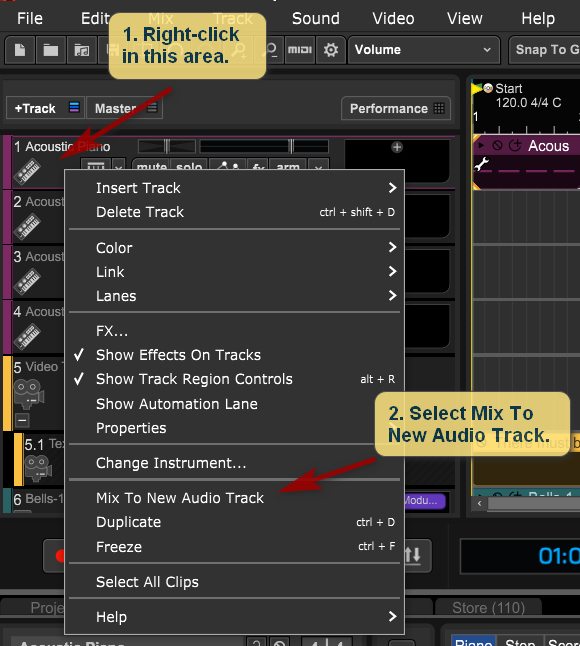
5. Right-click to the left of the instrument track and select "Mix to new audio track." (See image below.)
6. A new audio track will be created with a clip containing your Tonalic creation. The instrument track will be muted.
Note: owners of Mixcraft 10 Pro Studio can also enable Tonalic to be a recording input and then arm a track to record Tonalic's audio output.
Greg B
Comments